
NiroVera industrial operations

THE COMPLETE PLATFORM GUIDE • 2026

NiroVera — NiroVera

منصة سحابية متكاملة لإدارة الشركات والموارد البشرية والمهام

NiroVera

An integrated cloud platform for company, HR and task management

صاحب المشروع — PROJECT OWNER

نيار عبدالله سويلم الرنياوي

NIYAR ABDULLAH SUWAILEM ALRANIAWI

تاريخ الإصدار: ١٤ ربيع الأول ١٤٤٨ هـ
Issued: 27 August 2026
PROJECT PHILOSOPHY

فلسفة المشروع — لماذا وُلد NiroVera؟

The Philosophy — Why NiroVera Was Born

01
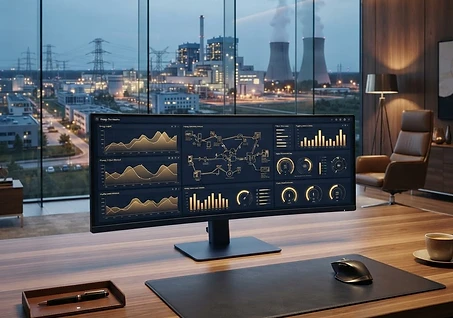
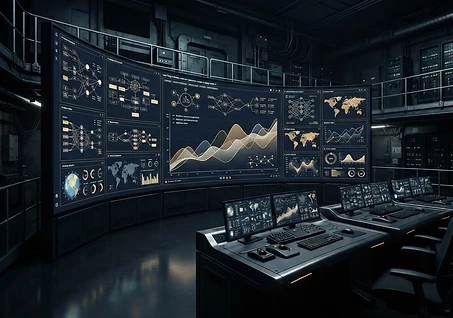
NiroVera command center

كل شركة ميدانية تعيش المعضلة نفسها: الإدارة في مكان، والعمل الحقيقي في مكان آخر. المدير يقرأ تقارير عمّا «قيل إنه حدث»، لا عمّا حدث فعلًا. من هذه الفجوة وُلد NiroVera — من قناعة أن الثقة لا تُبنى بالأقوال بل بالإثبات: إثبات المكان، وإثبات الإنجاز، وإثبات التوقيع.

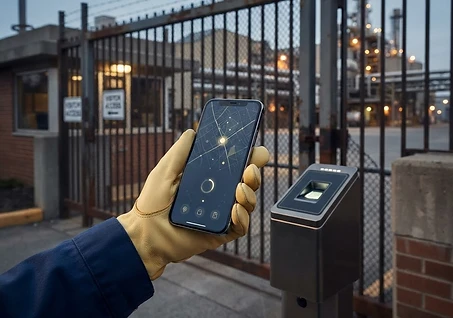
الفلسفة الأولى: «حقيقة المكان». الحضور ليس توقيعًا على ورقة بل وجودًا فعليًا في الموقع — لذلك جعلنا الموقع الجغرافي شرطًا لا يُقبل الحضور بدونه، ويُتحقق منه في الخادم حصرًا بحيث يستحيل التلاعب. حين يصبح المكان حقيقة موثقة، تصبح كل الأرقام المبنية عليه — الرواتب، والتقييم، والتقارير — حقيقة أيضًا.

الفلسفة الثانية: «العدالة المؤسسية». الموظف الذي يملك قناة تصعيد واضحة لا يحتاج للواسطة، والذي يستطيع رفع شكوى مجهولة الهوية محمية بتشفير لا يُعكس لا يخاف قول الحقيقة. لذلك بُني الهيكل الإداري في NiroVera كسلّم تصعيد حي: كل شكوى واعتراض ومهمة حرجة تصعد درجة درجة تلقائيًا حتى تجد من يحسمها.

الفلسفة الثالثة: «من البيانات إلى القرار». البيانات وحدها ضجيج؛ القيمة في تحويلها إلى قرار. لذلك يتوّج المنصة مركزُ قيادة ذكي يضغط مئات الإشارات اليومية — غياب، تأخير، توقفات، حوادث سلامة — في درجة استقرار واحدة موزونة على منهجية ISO 45001، ومساعد ذكاء اصطناعي يجيب ويُنفّذ. المدير لا يغرق في الجداول؛ يرى الخلاصة ويقرر.

Every field company lives the same dilemma: management sits in one place while the real work happens in another. Managers read reports about what was said to have happened — not what actually happened. NiroVera was born from this gap, and from one conviction: trust is not built on words but on proof — proof of place, proof of completion, proof of signature.

First philosophy: the truth of place. Attendance is not a signature on paper but physical presence on site — so GPS location is a mandatory condition, verified exclusively on the server where it cannot be spoofed. Once place becomes documented truth, everything built on it — payroll, evaluation, reporting — becomes truth as well.

Second philosophy: institutional justice. An employee with a clear escalation path needs no favoritism, and one who can file an anonymous, irreversibly-encrypted report is never afraid to speak the truth. NiroVera's org structure is a living escalation ladder: every complaint, dispute and critical task rises tier by tier until someone resolves it.

Third philosophy: from data to decision. Data alone is noise; the value is turning it into decisions. The platform is crowned by an intelligent Command Center that compresses hundreds of daily signals — absences, delays, stoppages, safety incidents — into a single weighted stability score inspired by ISO 45001, and an AI assistant that answers and acts. Managers don't drown in tables; they see the essence and decide.

EDITORIAL INDEX

المحتويات — Contents

  1. 01لوحة التحكم الرئيسيةMain Dashboard
  2. 02الفروع (مقرات العمل)Stations (Work Sites)
  3. 03الموظفون والملفات الوظيفيةEmployees & Profiles
  4. 04المهام والأهدافTasks & Targets
  5. 05الحضور والانصراف بالموقع الجغرافيGPS Attendance
  6. 06الموارد البشرية والهيكل الإداريHR & Organizational Hierarchy
  7. 07الشكاوى والبلاغات مجهولة الهويةComplaints & Anonymous Reports
  8. 08الدردشة والتواصل الداخليChat & Internal Communication
  9. 09الأداء والتحليلاتPerformance & Analytics
  10. 10التقارير ومركز التصديرReports & Export Center
  11. 11ملفات الشركةCompany Files
  12. 12التوقيع الرقمي للمستنداتDigital Document Signing
  13. 13المساعد الذكي «نيرو»Niro — The AI Assistant
  14. 14المخزون اللامركزي وإدارة الموادDecentralized Inventory & Materials
  15. 15الرواتبPayroll
  16. 16المصروفات التشغيليةOperational Expenses
  17. 17السلامة والصحة المهنية HSEHealth, Safety & Environment (HSE)
  18. 18الكاميرات والمراقبة الميدانيةCameras & Site Monitoring
  19. 19الجداول والورديات والتقويمSchedules, Shifts & Calendar
  20. 20الأمان وتعدد اللغات والاشتراكاتSecurity, Languages & Subscriptions

POWERCARE PLATFORM • SECTION 01

لوحة التحكم الرئيسية

Main Dashboard

01
Main Dashboard

لوحة التحكم الرئيسية

Main Dashboard

لوحة التحكم هي أول ما يراه المستخدم بعد تسجيل الدخول، وهي تتكيّف تلقائيًا مع دور المستخدم: فالمالك والمدير التنفيذي يريان صورة شاملة للشركة كلها، بينما يرى مدير الفرع بيانات فرعه فقط، ويرى الموظف العادي مهامه وحضوره الشخصي.

تعرض اللوحة بطاقات إحصائية فورية: عدد الموظفين، والفروع النشطة، والمهام الجارية والمتأخرة، ونسب الحضور اليومية، مع رسم بياني لاتجاه الحضور خلال الأيام الماضية. وتتضمن لوحة «الإجراءات المعلّقة» التي تجمع كل ما يحتاج قرارًا من المدير في مكان واحد: طلبات إجازة، وشهادات بانتظار الاعتماد، ومهام بانتظار مراجعة الإنجاز.

كما تضم اللوحة خريطة تفاعلية تُظهر مواقع جميع الفروع تلقائيًا (من الإحداثيات أو اسم المدينة المسجل)، وملخصًا يوميًا ذكيًا يولّده الذكاء الاصطناعي يلخّص أهم ما حدث في الشركة، وتنبيهات ذكية استباقية تنبه المدير لأي خلل قبل أن يتفاقم.

The dashboard is the first screen after login, and it automatically adapts to the user's role: the owner and director see a company-wide overview, a station manager sees only their station's data, and a regular employee sees their own tasks and attendance.

It shows live stat cards — employee count, active stations, running and overdue tasks, and daily attendance rates — with an attendance trend chart for recent days. A Pending Actions panel gathers everything awaiting a manager's decision in one place: leave requests, certificates awaiting approval, and task completions awaiting review.

The dashboard also includes an interactive map that automatically plots every station's location (from stored coordinates or city names), an AI-generated smart daily summary of the company's key events, and proactive smart alerts that warn managers about issues before they escalate.

POWERCARE • EXECUTIVE GUIDE01

POWERCARE PLATFORM • SECTION 02

الفروع (مقرات العمل)

Stations (Work Sites)

02
Stations (Work Sites)

الفروع (مقرات العمل)

Stations (Work Sites)

قسم الفروع هو سجل مقرات العمل في الشركة: لكل فرع اسم وموقع ونوع (كهرباء/مياه/غيره) وحالة تشغيلية (نشطة/صيانة) ومدير مسؤول. يمكن إضافة عدد غير محدود من الفروع وتعديلها أو حذفها في أي وقت.

الميزة الجوهرية هي تحديد الموقع الجغرافي الدقيق لكل فرع على خريطة تفاعلية: يبحث المدير عن العنوان أو ينقر على الخريطة مباشرة، ثم يحدد «نطاق المسافة المسموح» بالأمتار حول المقر. هذا النطاق هو ما يُستخدم لاحقًا للتحقق من حضور الموظفين — فلا يُقبل تسجيل حضور من خارج الدائرة المحددة.

يمكن تعيين موظف واحد مديرًا لعدة فروع في آن واحد، وتعرض كل فرع تحليلات خاصة بها: عدد موظفيها، ومهامها الجارية، ونسب إنجازها، وسجل السلامة الخاص بها.

The Stations section is the registry of the company's work sites: every station has a name, location, type (power/water/other), operational status (active/maintenance) and a responsible manager. Stations can be added, edited or removed without limit.

The core feature is pinning each station's precise GPS location on an interactive map: the manager searches for an address or clicks the map directly, then sets an allowed radius in meters around the site. This radius is what later verifies employee check-ins — attendance is rejected outside the defined circle.

One employee can manage several stations at once, and each station shows its own analytics: its staff count, running tasks, completion rates and safety record.

POWERCARE • EXECUTIVE GUIDE02

POWERCARE PLATFORM • SECTION 03

الموظفون والملفات الوظيفية

Employees & Profiles

03
Employees & Profiles

الموظفون والملفات الوظيفية

Employees & Profiles

سجل شامل لكل موظفي الشركة بأدوارهم المختلفة: مالك، مدير عمليات، مدير برامج، مدير فرع، وموظف. لكل موظف ملف وظيفي كامل على نمط أنظمة SAP يشمل: البيانات المهنية، والمسمى الوظيفي، والراتب، والشهادات والمؤهلات (مع دورة اعتماد: رفع → مراجعة → قبول/رفض)، وأرصدة الإجازات بأنواعها.

يملك كل موظف حساب دخول خاصًا به (بريد إلكتروني وكلمة مرور مع رمز تحقق OTP إلزامي)، ويستطيع المدير إنشاء الحسابات وإعادة تعيين كلمات المرور وحذف الحسابات. ويمكن تقييد إضافة الموظفين على نطاق بريد الشركة فقط (مثل ‎@company.com).

يتضمن القسم نظام نقاط تحفيزيًا: يمنح المديرون نقاطًا للموظفين المتميزين مع سبب المنح، وتظهر النقاط في ملف الموظف ولوحات الأداء، كما يعرض الملف حالة التواجد اللحظية (متصل/مشغول/في مكالمة) التي يحددها الموظف بنفسه.

A complete registry of all company staff across roles: owner, operations manager, program manager, station manager and employee. Every employee has a full SAP-style profile: professional information, job title, salary, certificates and qualifications (with an approval cycle: upload → review → approve/reject), and leave balances by type.

Each employee has their own login account (email and password with mandatory OTP verification). Managers can create accounts, reset passwords and delete accounts, and employee registration can be restricted to the company's email domain (e.g. @company.com).

The section includes a motivational points system: managers award points to outstanding employees with a stated reason, visible on the profile and performance boards, and profiles show a live presence status (online/busy/on a call) set by the employee.

POWERCARE • EXECUTIVE GUIDE03

POWERCARE PLATFORM • SECTION 04

المهام والأهداف

Tasks & Targets

04
Tasks & Targets

المهام والأهداف

Tasks & Targets

نظام مهام هرمي مرن: ينشئ المدير «هدفًا» محددًا بعدد مهام ومدة زمنية (أو نطاق تواريخ مخصص)، ويسنده إلى موظف بعينه أو إلى فريق فرع كاملة أو فريق المقر الرئيسي، مع أولوية (منخفضة/متوسطة/عالية) وخطوات تفصيلية وملفات مرفقة.

تُنظَّم المهام داخل مجلدات وأقسام ينشئها المستخدم بنفسه لكل فرع — بنية تصفح على نمط المجلدات يتنقل فيها من الفرع إلى القسم إلى المهمة، مع إمكانية إعادة الترتيب وإعادة التسمية. ويصنّف «الأرشيف الذكي» المهام المكتملة حسب مدتها: سنوية، نصف سنوية، ربع سنوية، وشهرية.

يسجّل الموظف تقدمه أولًا بأول، وعند بلوغ الهدف يُلزَم بإرفاق إثبات (صورة أو ملف) وتنتقل المهمة إلى «بانتظار المراجعة»؛ فيعتمدها المدير أو يرفضها مع ذكر السبب إلزاميًا، وللموظف حق الاعتراض على الرفض ويتصاعد اعتراضه تلقائيًا عبر السلسلة الإدارية. والمهام المتأخرة تُعلَّم تلقائيًا وتُرسَل بشأنها تنبيهات تصعيدية يومية دون تدخل بشري.

A flexible hierarchical task system: a manager creates a target defined by a task count and duration (or a custom date range), assigned to a specific employee, an entire station team or the HQ team, with a priority (low/medium/high), detailed steps and file attachments.

Tasks are organized inside user-created folders and sections per station — folder-style navigation from station to section to task, with reordering and renaming. A Smart Archive classifies completed tasks by duration: annual, half-yearly, quarterly and monthly.

Employees log progress as they work; on reaching the target they must attach proof (photo or file) and the task moves to pending review, where the manager approves or rejects it with a mandatory reason. The employee can dispute a rejection, and the dispute escalates automatically up the management chain. Overdue tasks are flagged automatically with daily escalation alerts sent without human intervention.

POWERCARE • EXECUTIVE GUIDE04

POWERCARE PLATFORM • SECTION 05

الحضور والانصراف بالموقع الجغرافي

GPS Attendance

05
GPS Attendance

الحضور والانصراف بالموقع الجغرافي

GPS Attendance

الفكرة الجوهرية للمنصة: لا يُقبل تسجيل الحضور إلا إذا كان الموظف فعليًا داخل النطاق الجغرافي المحدد لمقر عمله. عند الضغط على «تسجيل حضور» يُقرأ موقع الجهاز بدقة عالية ويُقارن بإحداثيات الفرع المخزنة في الخادم — ولا يمكن التلاعب بالإحداثيات من جهة المستخدم لأن التحقق يتم في الخادم حصرًا.

يشمل النظام: تسجيل حضور وانصراف يومي، وأعذار التأخر والغياب مع مرفقات، وجداول ورديات لكل فرع (صباحية/مسائية/ليلية قابلة للتخصيص) مع إسناد الموظفين لكل وردية في كل يوم من أيام الأسبوع، وتنبيهات تأخر تلقائية تُرسل للمدير، وتعليم الغائبين تلقائيًا نهاية اليوم عبر مهمة مجدولة.

تُعرض البيانات في لوحة يومية حية، وخريطة تُظهر مواقع تسجيل الحضور، وتقرير شهري تفصيلي لكل موظف (أيام الحضور والغياب والتأخر) قابل للتصدير، وتحليلات اتجاهات تكشف أنماط الالتزام.

The platform's core idea: attendance is accepted only if the employee is physically inside the GPS radius defined for their work site. Pressing Check-In reads the device location at high accuracy and compares it against the station coordinates stored on the server — coordinates cannot be spoofed client-side because verification happens exclusively on the server.

The system covers daily check-in/check-out, late and absence excuses with attachments, per-station shift schedules (customizable morning/evening/night shifts) with employee assignment per weekday, automatic late alerts sent to managers, and automatic end-of-day absentee marking via a scheduled job.

Data is presented in a live daily dashboard, a map of check-in locations, a detailed exportable monthly report per employee (present/absent/late days), and trend analytics revealing commitment patterns.

POWERCARE • EXECUTIVE GUIDE05

POWERCARE PLATFORM • SECTION 06

الموارد البشرية والهيكل الإداري

HR & Organizational Hierarchy

06
HR & Organizational Hierarchy

الموارد البشرية والهيكل الإداري

HR & Organizational Hierarchy

هيكل موارد بشرية مرن بالكامل: تبني الشركة سلّمها الإداري بنفسها بأي عدد من الدرجات (مثل: HR الموقع → HR المجموعة → رئيس العمليات → نائب الرئيس → CHRO)، ولكل درجة نطاق صلاحية (فرع واحد، مجموعة فروع، أو الشركة كلها) وصلاحيات قابلة للتخصيص بندًا بندًا، مع إمكانية إضافة مساعد لكل درجة.

يمكن إعادة ترتيب الدرجات وتعليقها مؤقتًا وحذفها، ويُعاد توجيه أي شكوى عالقة تلقائيًا عند حذف درجة. وتُجمَّع الفروع في «مجموعات» (Clusters) ليُشرف عليها مسؤول HR واحد.

يدير القسم أيضًا طلبات الإجازات بأنواعها (سنوية، مرضية، طارئة...) بأرصدة قابلة للتعديل لكل موظف، ودورة اعتماد كاملة، إضافة إلى قناة تواصل HR لكل موظف تصل رسائلها إلى مسؤول HR المختص بفرعه تلقائيًا.

A fully flexible HR structure: each company builds its own ladder with any number of tiers (e.g. Site HR → Cluster HR → Head of Ops → VP → CHRO). Every tier has a scope (one station, a cluster of stations, or company-wide) and per-item customizable permissions, with an optional assistant per tier.

Tiers can be reordered, temporarily suspended or deleted — any complaint stuck at a deleted tier is redirected automatically. Stations can be grouped into clusters overseen by a single HR officer.

The section also manages leave requests of all types (annual, sick, emergency…) with adjustable balances per employee and a full approval cycle, plus a per-employee HR communication channel whose messages route automatically to the HR officer responsible for their station.

POWERCARE • EXECUTIVE GUIDE06

POWERCARE PLATFORM • SECTION 07

الشكاوى والبلاغات مجهولة الهوية

Complaints & Anonymous Reports

07
Complaints & Anonymous Reports

الشكاوى والبلاغات مجهولة الهوية

Complaints & Anonymous Reports

قناة آمنة يرفع منها الموظف شكوى أو اقتراحًا أو بلاغ مخاطر دون كشف هويته: تُستبدل هوية المرسل برمز مجهول يُولَّد بتشفير أحادي الاتجاه غير قابل للعكس، ويتغيّر الرمز تلقائيًا كل 30 يومًا لمنع تتبع الأنماط.

لكل بلاغ نوع (شكوى/اقتراح/بلاغ مخاطر) وأولوية (منخفضة/متوسطة/عالية) ومرفقات اختيارية. ويمر البلاغ بسلسلة تصعيد مرتبطة بالهيكل الإداري: يبدأ عند مدير الفرع، فإن لم يُحل يتصاعد درجة درجة حتى يصل أعلى درجة HR في الشركة، مع سجل ردود كامل في كل مستوى.

ولمنع إساءة الاستخدام، يحدد المالك سقفًا لعدد البلاغات المسموح للموظف الواحد يوميًا وأسبوعيًا وشهريًا، وتظهر للموظف عداداته الحالية قبل الإرسال.

A safe channel where employees file complaints, suggestions or risk reports without revealing their identity: the sender's identity is replaced with an anonymous code generated by irreversible one-way hashing, rotating automatically every 30 days to prevent pattern tracking.

Each report has a type (complaint/suggestion/risk report), a priority (low/medium/high) and optional attachments. Reports travel an escalation chain tied to the HR hierarchy: starting at the station manager and rising tier by tier until the company's top HR level, with a full reply log at every stage.

To prevent abuse, the owner sets daily, weekly and monthly limits on reports per employee, and employees see their current counters before submitting.

POWERCARE • EXECUTIVE GUIDE07

POWERCARE PLATFORM • SECTION 08

الدردشة والتواصل الداخلي

Chat & Internal Communication

08
Chat & Internal Communication

الدردشة والتواصل الداخلي

Chat & Internal Communication

نظام تواصل داخلي متكامل: لكل فرع غرفة دردشة عامة خاصة بها، وللمقر الرئيسي غرفته، ويستطيع المالك تفعيل غرفة موحدة لجميع الفروع أو إنشاء «مجموعات دردشة» تربط فروع مختارة معًا (مثل فرعي أ+ب في غرفة واحدة).

إلى جانب الغرف العامة، تتوفر رسائل خاصة مباشرة بين أي موظفَين، مع دعم إرفاق الملفات والصور والرسائل الصوتية المسجلة. ويمكن حذف الرسالة خلال دقيقتين من إرسالها للجميع، وبعدها تُحذف من عرض المرسل فقط.

تشمل كل محادثة تبويبات إضافية: معرض الملفات والوسائط المتبادلة، وبحث في الرسائل، ومُرسل بريد إلكتروني رسمي لمخاطبة الموظفين عبر بريد الشركة. وكل الغرف معزولة عزلًا صارمًا بين الشركات — لا تطّلع شركة على محادثات شركة أخرى إطلاقًا.

A complete internal communication system: every station has its own general chat room, HQ has its own, and the owner can enable one shared room for all stations or create chat groups linking selected stations together (e.g. stations A+B in one room).

Beyond group rooms, direct private messages are available between any two employees, with file, photo and recorded voice-message attachments. A message can be deleted for everyone within two minutes of sending; afterwards it disappears only from the sender's view.

Every conversation includes extra tabs: a shared files & media gallery, message search, and an official email composer for contacting staff via company email. All rooms are strictly isolated between companies — no company can ever see another company's conversations.

POWERCARE • EXECUTIVE GUIDE08

POWERCARE PLATFORM • SECTION 09

الأداء والتحليلات

Performance & Analytics

09
Performance & Analytics

الأداء والتحليلات

Performance & Analytics

قسم تحليلي يقيس أداء الأفراد والفروع بالأرقام: نسب إنجاز المهام، وسرعة الاستجابة، وعدد المشكلات المبلغ عنها، والنقاط التحفيزية المكتسبة، مع شارات أداء ملونة توضح مستوى كل موظف في لمحة.

يتيح القسم مقارنات مباشرة: موظف مقابل موظف، وفرع مقابل فرع، ومجموعة مقابل مجموعة — برسوم بيانية تفاعلية تكشف نقاط القوة والضعف، مع تقرير فردي مفصل لكل موظف يصلح للتقييم السنوي.

وتُعرض قائمة «المشكلات والتوقفات» المسجلة على المهام (تعطل معدات، نقص مواد...) مع أسبابها وتواريخها، لتساعد الإدارة على معالجة أسباب التعطل الجذرية.

An analytics section measuring individual and station performance in numbers: task completion rates, response speed, reported issues and earned reward points, with colored performance badges showing each employee's level at a glance.

It offers direct comparisons — employee vs employee, station vs station, group vs group — through interactive charts revealing strengths and weaknesses, plus a detailed single-employee report suitable for annual evaluations.

A list of issues and stoppages logged on tasks (equipment failure, material shortage…) is shown with causes and dates, helping management address root causes of downtime.

POWERCARE • EXECUTIVE GUIDE09

POWERCARE PLATFORM • SECTION 10

التقارير ومركز التصدير

Reports & Export Center

10
Reports & Export Center

التقارير ومركز التصدير

Reports & Export Center

يرفع الموظفون تقارير يومية عن ورديّاتهم تمر بدورة اعتماد (بانتظار المراجعة → معتمد)، ويجمع قسم التقارير كل بيانات الشركة في جداول قابلة للتصفية حسب الفرع والفترة الزمنية والموظف.

يوفر «مركز التصدير» إخراج أي تقرير بصيغة PDF أنيقة أو Excel ملون، مع دعم كامل للغة العربية واتجاه الكتابة من اليمين لليسار. ويمكن للشركة رفع شعارها وتخصيص هويتها البصرية لتظهر على رأس كل تقرير مُصدَّر.

كما تتوفر مقارنات تصديرية بين المجموعات، وتقرير أسبوعي تلقائي يُرسَل للمالك بالبريد الإلكتروني يلخص أداء الشركة، وتقارير موقعة رقميًا بشارة تحقق مشفرة تضمن عدم التلاعب بمحتواها بعد إصدارها.

Employees file daily shift reports that pass an approval cycle (pending review → approved), and the Reports section aggregates all company data into tables filterable by station, period and employee.

The Export Center outputs any report as an elegant PDF or a colored Excel file, with full Arabic and right-to-left support. Companies can upload their logo and customize branding to appear on every exported report's header.

Exportable group-vs-group comparisons are available, an automatic weekly summary is emailed to the owner, and digitally signed reports carry an encrypted verification badge guaranteeing the content cannot be tampered with after issuance.

POWERCARE • EXECUTIVE GUIDE10

POWERCARE PLATFORM • SECTION 11

ملفات الشركة

Company Files

11
Company Files

ملفات الشركة

Company Files

أرشيف مستندات مركزي للشركة بنظام مجلدات متداخلة بلا حدود: ينشئ المستخدم مجلدًا داخل مجلد بأي عمق، ويرفع المستندات بأي صيغة (PDF، صور، جداول...) مع حفظ اسم الرافع وتاريخ الرفع وحجم الملف.

يمكن ربط الملف بفرع محددة ليظهر في سياقها، وحذف أي مجلد يحذف تلقائيًا كل محتوياته المتداخلة مهما بلغ عمقها، مع رسالة تأكيد قبل الحذف تحمي من الحذف الخاطئ.

تُخزَّن الملفات في التخزين السحابي وتبقى متاحة من أي جهاز، وتخضع لعزل الشركات الكامل — فملفات كل شركة مرئية لموظفيها فقط.

A central document archive with unlimited nested folders: users create folders inside folders at any depth and upload documents of any format (PDF, images, spreadsheets…) with the uploader's name, upload date and file size recorded.

A file can be linked to a specific station to appear in its context. Deleting a folder automatically removes all nested contents at any depth, with a confirmation prompt protecting against accidental deletion.

Files live in cloud storage, accessible from any device, and follow full company isolation — each company's files are visible to its own staff only.

POWERCARE • EXECUTIVE GUIDE11

POWERCARE PLATFORM • SECTION 12

التوقيع الرقمي للمستندات

Digital Document Signing

12
Digital Document Signing

التوقيع الرقمي للمستندات

Digital Document Signing

نظام توقيع إلكتروني متكامل على نمط DocuSign: يسجل المستخدم توقيعه مرة واحدة — رسمًا بيده على لوحة رقمية أو كتابةً بخطوط توقيع أنيقة (منها خطوط عربية مثل «أريف رقعة») — فيحصل توقيعه على رقم تحقق مشفر فريد بصيغة PWC-XXXX-XXXX-XXXX مولّد بخوارزمية SHA-256 غير قابلة للعكس.

عند توقيع مستند PDF أو صورة، يختار المستخدم موضع التوقيع بنفسه بالسحب على صفحة المستند (مع دعم تكبير التوقيع بإصبعين على الجوال)، وتُختَم الوثيقة بشارة تحقق تحمل الرقم المشفر ورمز QR، وتُسجَّل بصمة الملف النهائي (SHA-256) في سجل تحقق مركزي.

ولتوقيع عدة أطراف: يرسل المنشئ طلب توقيع بالبريد الإلكتروني لأي أطراف خارجية — حتى غير المسجلين في المنصة — فيوقّع كل طرف من رابط خاص وآمن به وحده، وتُختم الوثيقة النهائية تلقائيًا بعد اكتمال الجميع ويُخطَر المنشئ. وصفحة «التحقق» العامة تتيح لأي جهة التأكد من صحة أي مستند موقّع: مطابقة الرقم وبصمة الملف تكشف فورًا أي تلاعب.

A complete DocuSign-style e-signing system: the user registers a signature once — drawn by hand on a digital pad or typed in elegant signature fonts (including Arabic fonts such as Aref Ruqaa) — and it receives a unique encrypted verification ID in the form PWC-XXXX-XXXX-XXXX, generated with irreversible SHA-256 hashing.

When signing a PDF or image, the user freely places the signature by dragging it on the document page (with pinch-to-resize on mobile). The document is stamped with a verification badge carrying the encrypted ID and a QR code, and the final file's SHA-256 fingerprint is registered in a central verification registry.

For multi-party signing, the creator emails a signature request to any external parties — even non-registered users — each signing via their own private secure link; the final document is stamped automatically when everyone has signed and the creator is notified. A public Verify page lets anyone confirm a signed document's authenticity: matching the ID and file fingerprint instantly exposes any tampering.

POWERCARE • EXECUTIVE GUIDE12

POWERCARE PLATFORM • SECTION 13

المساعد الذكي «نيرو»

Niro — The AI Assistant

13
Niro — The AI Assistant

المساعد الذكي «نيرو»

Niro — The AI Assistant

«نيرو» مساعد ذكاء اصطناعي مدمج في المنصة يفهم سياق الشركة بالكامل: يجيب عن أسئلة مثل «كم مهمة متأخرة في فرع ألفا؟» أو «من الغائبون اليوم؟» اعتمادًا على بيانات الشركة الحقيقية، ويجيب بلغة المستخدم نفسها.

لا يكتفي نيرو بالإجابة — بل ينفّذ إجراءات فعلية: إنشاء مهام، وصياغة تقارير، وتوليد مستندات وملفات كاملة بأي فكرة يطلبها المستخدم وبالتنظيم الذي يريده، مع إمكانية توقيع المستندات المولّدة رقميًا.

يدعم نيرو التفاعل الصوتي: تحدث إليه بصوتك ويرد عليك صوتيًا، ويحتفظ بسجل محادثاتك الخاص بك. كما يشغّل خلف الكواليس ميزات ذكية في أنحاء المنصة: الملخص اليومي، والتنبيهات الاستباقية، واقتراحات التعبئة التلقائية للنماذج بناءً على عاداتك السابقة.

Niro is an AI assistant embedded in the platform that understands the company's full context: it answers questions like 'How many overdue tasks at Station Alpha?' or 'Who is absent today?' using the company's real data, replying in the user's own language.

Niro doesn't just answer — it performs real actions: creating tasks, drafting reports, and generating complete documents and files for any idea the user requests, organized exactly as they want, with optional digital signing of generated documents.

Niro supports voice interaction — speak to it and it replies aloud — and keeps your private conversation history. Behind the scenes it also powers smart features across the platform: the daily summary, proactive alerts, and smart form defaults based on your past habits.

POWERCARE • EXECUTIVE GUIDE13

POWERCARE PLATFORM • SECTION 14

المخزون اللامركزي وإدارة المواد

Decentralized Inventory & Materials

14
Decentralized Inventory & Materials

المخزون اللامركزي وإدارة المواد

Decentralized Inventory & Materials

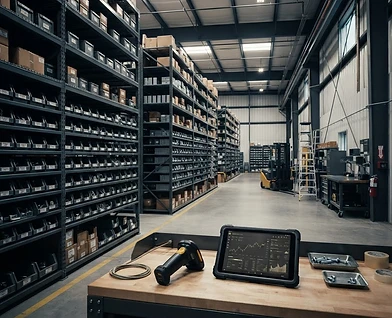
يعتمد NiroVera نموذج مخزون لامركزيًا يمنح كل فرع استقلالية تشغيلية كاملة: تسجل مشترياتها وأصنافها وكمياتها وأسعارها ومورديها وفواتيرها، وتتابع رصيد كل صنف في موقعه الحقيقي دون انتظار إدارة مركزية. وفي الوقت نفسه تحتفظ الإدارة العليا برؤية موحدة لكل الأرصدة والحركات والتكاليف عبر الشركة.

تتم عمليات نقل المواد من خلال طلب رسمي بين فرعين يوضح الكمية المتاحة وقيمة التحويل، ثم يراجعه مسؤول الفرع الموردة. كما يسجل النظام الصرف لأعمال محددة، وصور المواد، وسجل الحركات قبل وبعد كل عملية، ويتيح للإدارة العليا عكس الحركة الخاطئة مع سبب موثق وأثر محسوب على الرصيد.

تتوفر تقارير شاملة لكل فرع بصيغ PDF وExcel تشمل الأرصدة والمشتريات والاستهلاك والتحويلات، مع بحث مركزي باسم الصنف أو رمزه وإمكانية تصفية النتائج حسب فرع أو مجموعة فروع.

NiroVera uses a decentralized inventory model that gives every station full operational autonomy: recording purchases, items, quantities, prices, suppliers and invoices while tracking each item's balance at its real location without waiting for a central office. Senior management simultaneously retains one consolidated view of all balances, movements and costs company-wide.

Material transfers follow a formal station-to-station request showing available quantity and transfer value, reviewed by the supplying station. The system records issues against specific work, material photos, balances before and after every movement, and allows senior management to reverse an incorrect movement with a documented reason and calculated stock impact.

Comprehensive station reports are available in PDF and Excel, covering balances, purchases, consumption and transfers, with global search by item name or code and filtering across one or multiple stations.

POWERCARE • EXECUTIVE GUIDE14

POWERCARE PLATFORM • SECTION 15

الرواتب

Payroll

15
Payroll

الرواتب

Payroll

يربط قسم الرواتب بيانات الموظف الوظيفية بسجل الحضور والإجازات والغياب ليمنح الإدارة أساسًا موحدًا للمراجعة الشهرية. يمكن إعداد قوالب الرواتب واستيراد البيانات ومراجعة كل موظف وفرع، مع إبقاء البيانات المالية الحساسة ضمن نطاق الصلاحيات الممنوحة.

Payroll connects employee records with attendance, leave and absence data to give management one consistent basis for monthly review. Salary templates can be prepared, data imported, and each employee or station reviewed while sensitive financial information remains within its authorized scope.

POWERCARE • EXECUTIVE GUIDE15

POWERCARE PLATFORM • SECTION 16

المصروفات التشغيلية

Operational Expenses

16
Operational Expenses

المصروفات التشغيلية

Operational Expenses

يتيح قسم المصروفات للموظف رفع مطالبة مالية مرتبطة بفرع واحد أو بعدة فروع، مع تحديد نوع المصروف والتاريخ والكمية والمبلغ قبل الضريبة وقيمة الضريبة والإجمالي النهائي، وإرفاق صورة الإيصال أو الفاتورة كإثبات.

تمر المطالبة بمسار اعتماد واضح يبدأ بمراجعة المدير ثم ينتقل إلى الإدارة المالية، مع تسجيل هوية المراجع ووقت القرار وحالة الطلب من التقديم حتى الاعتماد أو الرفض.

توفر اللوحة مؤشرات وتقارير قابلة للتصفية حسب الفترة والفرع والنوع والحالة، مع تصدير منظم يساعد الإدارة على تحليل الإنفاق ومقارنة المصروفات بين المواقع.

The Expenses module lets employees submit a financial claim for one or multiple stations, specifying expense type, date, quantity, pre-tax amount, tax and final total, with a receipt or invoice image attached as evidence.

Each claim follows a clear approval path from manager review to finance review, recording the reviewer, decision time and request status from submission through approval or rejection.

The dashboard provides indicators and filterable reports by period, station, type and status, with structured exports that help management analyze spending and compare expenses across sites.

POWERCARE • EXECUTIVE GUIDE16

POWERCARE PLATFORM • SECTION 17

السلامة والصحة المهنية HSE

Health, Safety & Environment (HSE)

17
Health, Safety & Environment (HSE)

السلامة والصحة المهنية HSE

Health, Safety & Environment (HSE)

يحوّل قسم السلامة متطلبات HSE إلى ممارسة يومية قابلة للقياس: تصاريح عمل، وتقييم مخاطر، وقوائم فحص، وساعات عمل آمنة، وحوادث وإصابات وتوقفات مسجلة لكل فرع. ويمكن تخصيص حقول التصاريح والتبويبات بما يناسب طبيعة نشاط الشركة.

تُجمع المؤشرات في لوحة سلامة ورسوم تحليلية وتقارير شهرية، وتغذي الحوادث والمخاطر مركز القيادة ودرجة استقرار الشركة. وبذلك لا تبقى السلامة ملفات منفصلة، بل تصبح عنصرًا مباشرًا في القرار التشغيلي والأداء المؤسسي.

The safety module turns HSE requirements into measurable daily practice: permits to work, risk assessments, checklists, safe work hours, incidents, injuries and stoppages recorded per station. Permit fields and safety tabs can be customized to match the company's operating environment.

Indicators feed a safety dashboard, analytical charts and monthly reports, while incidents and hazards influence the Command Center and company stability score. Safety therefore becomes part of operational decision-making rather than a disconnected archive.

POWERCARE • EXECUTIVE GUIDE17

POWERCARE PLATFORM • SECTION 18

الكاميرات والمراقبة الميدانية

Cameras & Site Monitoring

18
Cameras & Site Monitoring

الكاميرات والمراقبة الميدانية

Cameras & Site Monitoring

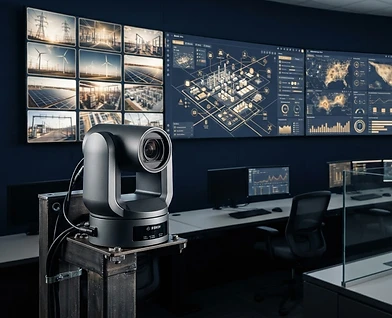
يجمع قسم الكاميرات بث المواقع في لوحة موحدة مرتبطة بفروع الشركة، مع عرض حالة كل كاميرا وموقعها على الخريطة وبيانات الاتصال الخاصة بها ضمن نطاق صلاحيات المستخدم.

يدعم النظام إضافة الكاميرات واختبار الاتصال واستيراد بياناتها، وعرض البث المتوافق، مع تنظيم الأجهزة حسب الفرع لتسهيل وصول فرق التشغيل إلى المشهد المطلوب بسرعة.

تظهر تنبيهات الكاميرات مصنفة حسب مستوى الخطورة والموقع والوقت، لتتحول المراقبة من مشاهدة منفصلة إلى سجل تشغيلي يساعد على المتابعة والاستجابة وتوثيق الحدث.

The Cameras module brings site feeds into one station-linked workspace, showing each camera's status, map location and connection details within the user's authorized scope.

The system supports adding cameras, testing connections, importing device data and viewing compatible streams, organized by station so operations teams can reach the required view quickly.

Camera alerts are classified by severity, location and time, turning monitoring from isolated viewing into an operational record that supports response, follow-up and event documentation.

POWERCARE • EXECUTIVE GUIDE18

POWERCARE PLATFORM • SECTION 19

الجداول والورديات والتقويم

Schedules, Shifts & Calendar

19
Schedules, Shifts & Calendar

الجداول والورديات والتقويم

Schedules, Shifts & Calendar

ينظم NiroVera ورديات كل فرع حسب أيام الأسبوع وأنواع الدوام التي تحددها الشركة، مع إسناد الموظفين للورديات وتخصيص أوقات البداية والنهاية. ترتبط الجداول مباشرة بالحضور والتنبيهات، فتُفسَّر حالات التأخر والغياب وفق الوردية الصحيحة بدل الاعتماد على وقت موحد للجميع.

كما يتيح التقويم تصدير الأحداث والمهام بصيغة ICS والمزامنة مع Google Calendar، بما يجمع الخطة التشغيلية والمواعيد الشخصية في رؤية زمنية واحدة قابلة للاستخدام من الويب والجوال.

NiroVera organizes each station's shifts by weekday and company-defined shift types, assigning employees with customizable start and end times. Schedules connect directly to attendance and alerts, so lateness and absence are interpreted against the correct shift rather than one universal time.

The calendar also exports events and tasks in ICS format and synchronizes with Google Calendar, bringing operational plans and personal commitments into one time-based view across web and mobile.

POWERCARE • EXECUTIVE GUIDE19

POWERCARE PLATFORM • SECTION 20

الأمان وتعدد اللغات والاشتراكات

Security, Languages & Subscriptions

20
Security, Languages & Subscriptions

الأمان وتعدد اللغات والاشتراكات

Security, Languages & Subscriptions

الأمان أساس المنصة: عزل كامل لبيانات كل شركة (Multi-Tenancy) بحيث يستحيل اطلاع شركة على بيانات أخرى، وتحقق ثنائي إلزامي برمز OTP يُرسل بالبريد عند كل تسجيل دخول (حتى للمالك)، وكلمات مرور مخزنة بتجزئة PBKDF2 لا تُحفظ نصًا أبدًا، وجلسات مشفرة بصلاحيات تُشتق من الخادم حصرًا، وسجل تدقيق كامل يوثق كل إجراء حساس: من فعل ماذا ومتى.

تدعم المنصة 9 لغات كاملة مع تبديل فوري واتجاه كتابة تلقائي من اليمين لليسار للعربية في كل صفحة ومكوّن، ودخول عبر حساب Google إلى جانب البريد وكلمة المرور.

تظهر خطط الشركات (المجانية، وستارتر، والاحترافية، والمؤسسات) حاليًا دون رسوم، مع لوحة خاصة لمالك المنصة لمتابعة المشتركين والإحصاءات وإدارة الخطط عند تفعيل نموذج الاشتراكات لاحقًا.

Security is foundational: complete multi-tenant isolation makes it impossible for one company to see another's data; mandatory two-step OTP email verification on every login (even for owners); passwords stored only as PBKDF2 hashes, never in plain text; encrypted sessions with server-derived permissions; and a full audit log documenting every sensitive action — who did what and when.

The platform fully supports 9 languages with instant switching and automatic right-to-left layout for Arabic across every page and component, plus Google sign-in alongside email and password.

Company plans (Free, Starter, Professional and Enterprise) are currently displayed without charge, with a platform-owner panel for tracking subscribers and statistics and managing plans when the subscription model is activated later.

POWERCARE • EXECUTIVE GUIDE20

ONE CONNECTED OPERATING SYSTEM

الترابط: كيف تعمل الأقسام كجسد واحد

The Interconnection: How Everything Works as One Body

NiroVera ليس مجموعة أدوات متجاورة، بل منظومة واحدة تبدأ من ذرّة أساسية هي «الفرع». الفرع تحمل الموقع الجغرافي ونطاق المسافة، ويرتبط بها الموظفون والورديات — فيتولد منها الحضور الموثق. الحضور يغذي التقارير الشهرية ولوحة حالة الفريق ونسبة الحضور في لوحة التحكم.

المهام تنظَّم داخل الفروع نفسها في مجلدات وأقسام، وتأخّرها أو توقفها لا يبقى حبيس القسم: يتصاعد تلقائيًا عبر الهيكل الإداري، ويرفع درجة المخاطر في مركز القيادة. والهيكل الإداري ذاته هو الذي يوجّه الشكاوى والبلاغات المجهولة والاعتراضات — سلّم واحد يخدم كل أنواع التصعيد.

السلامة المهنية ترصد الحوادث والمخاطر لكل فرع، فتغذي درجة الاستقرار ولوحة الرادار التنبؤي. والتقارير اليومية المعتمدة، والأداء، والنقاط التحفيزية — كلها تصب في قسم التحليلات والمقارنات، وتخرج من مركز التصدير بهوية الشركة البصرية، وتُختم عند الحاجة بتوقيع رقمي برقم تحقق مشفر يضمن عدم التلاعب.

وفوق هذا كله يجلس «نيرو»: يقرأ بيانات كل الأقسام في لحظته، فيجيب ويولّد الملخص اليومي والتنبيهات الاستباقية وينشئ المستندات. النتيجة: معلومة تدخل من أي قسم تنعكس في كل الأقسام — جسد واحد بعصب واحد.

NiroVera is not a set of adjacent tools but one organism built around a fundamental atom: the Station. The station carries the GPS location and allowed radius; employees and shifts attach to it — producing verified attendance. Attendance feeds the monthly reports, the team status panel and the dashboard attendance rate.

Tasks are organized inside those same stations in folders and sections, and their delays or stoppages never stay contained: they escalate automatically through the org hierarchy and raise the risk score in the Command Center. That same hierarchy routes complaints, anonymous reports and disputes — one ladder serving every kind of escalation.

HSE safety tracks incidents and hazards per station, feeding the stability score and the predictive risk radar. Approved daily reports, performance and reward points all flow into analytics and comparisons, exit through the Export Center under the company's own branding, and can be sealed with a digital signature carrying an encrypted verification ID that guarantees integrity.

Above it all sits Niro: reading every section's live data to answer questions, generate the daily brief and proactive alerts, and create documents on demand. The result: information entering any section is reflected across all of them — one body, one nervous system.

جسد واحد، بعصب واحد

ONE BODY • ONE NERVOUS SYSTEM

THE BUSINESS CASE

لماذا تعتمد شركتكم NiroVera؟

Why Your Company Should Adopt NiroVera

01

إحلال منصة واحدة محل خمسة أنظمة متفرقة: حضور، ومهام، وموارد بشرية، وتواصل داخلي، وتوقيع إلكتروني — بتكلفة اشتراك واحدة وبيانات مترابطة.

Replace five separate systems — attendance, tasks, HR, internal communication and e-signing — with one platform, one subscription and fully connected data.

02

قطع الطريق على التحايل في الحضور نهائيًا بالتحقق الجغرافي من جهة الخادم — عائد مباشر على دقة الرواتب والانضباط.

Eliminate attendance fraud permanently with server-side GPS verification — a direct return on payroll accuracy and discipline.

03

رؤية تنفيذية لحظية: درجة استقرار واحدة تختصر حال الشركة كلها، بأوزان مخاطر تُعايرها الشركة حسب طبيعة نشاطها.

Real-time executive visibility: one stability score summarizing the whole company, with risk weights calibrated to your operation.

04

جاهزية فورية للسوق السعودي والخليجي: عربية كاملة باتجاه كتابة صحيح، و9 لغات، وتشغيل من المتصفح والجوال دون تركيب.

Ready for the Saudi and Gulf market: full Arabic with correct RTL, 9 languages, running from browser and mobile with no installation.

05

أمان مؤسسي: عزل تام لبيانات كل شركة، وتحقق ثنائي إلزامي، وتشفير كلمات المرور، وسجل تدقيق كامل.

Enterprise-grade security: complete per-company data isolation, mandatory two-factor OTP, hashed passwords and a full audit log.

06

إتاحة جميع الخطط حاليًا دون رسوم لتمكين الشركات من تجربة المنصة بأقسامها المختلفة والتوسع وفق احتياجها التشغيلي.

All plans are currently available free of charge, allowing companies to experience the platform's full operational scope and scale as needed.

للتواصل وطلب عرض توضيحي

Contact & Request a Demo

نيار عبدالله سويلم الرنياوي

NIYAR ABDULLAH SUWAILEM ALRANIAWI

0595414472 · niyar@powercares.pro · turkialmutarir@gmail.com